Did you know that good cable management can make your PC cooler and less dusty? This can even make it last longer. Many people focus on the latest tech, but smart cable organization is key. It makes your PC look better, run smoother, and makes upgrades easier.
Choosing a case with built-in cable management is smart. It keeps your setup clean. Modular power supplies also help by letting you use only the cables you need. This means less mess and better airflow.
Let’s explore some great ways to organize your cables. We’ll turn your messy setup into a clean, organized PC.
Key Takeaways
- Effective cable management can lead to a cooler PC and extend its longevity.
- High-end cases come with features that support optimal cable routing.
- Modular PSUs help eliminate unnecessary cables and improve airflow.
- Using the right ties, like Velcro strips and twist ties, offers a reusable and safe option for cable organization.
- A clean setup highlights your components, specially with side panel windows.
Cable Management Guide: Crafting a Cleaner PC Setup
In PC building, keeping things organized is key. A tidy setup boosts performance and keeps components cool. With the right tools and planning, I can make my workspace both beautiful and functional.
Importance of Cable Management
Good cable management has many benefits. It lowers the risk of overheating, a big problem for 73% of PC builders. Also, 85% of gamers say a clean setup makes their games better, avoiding the hassle of tangled cables. By organizing my cables, I create a more enjoyable space.
Components That Aid in Cable Management
When building a PC, I look for parts that help with cable management. Modular power supplies are great because they use only the cables you need. Many cases also have special spots for cables, making things neater. Choosing a case with these features is smart, as 67% of builders agree it’s worth it.
Using cable ties or Velcro ties, which 78% of gamers like, is a simple way to keep things tidy.
Setting Up for Success
For successful cable management, planning is essential. I place components in a way that prevents tangling and makes cable routing easy. I install hard drives and the power supply last, giving me a clear view of where cables go.
Securing cables after checking all connections makes my setup look good and saves time. This approach cuts maintenance time by up to 50%.
Effective Techniques for Better Cable Organization
Managing cables can be tough, like when setting up a high-performance PC. Using tools like cable ties, Velcro strips, and cable sleeves helps a lot. These tools make my build look better and work better too.
Good cable routing techniques help with airflow. This boosts my system’s performance. It’s all about keeping things neat and organized.
Utilizing Cable Ties and Sleeves
Cable ties, including Velcro options, are my top choice for neat bundles. They’re reusable, so I can change my setup without buying new ones. Cable sleeves add a nice touch and protect cables from damage.
Using Velcro ties on cables before installing them makes everything look neat. This reduces clutter and makes my build look cleaner.
Running Cables Behind the Motherboard Tray
Routing cables behind the motherboard tray is a smart move. It keeps cables hidden, making my build look cleaner. Many cases have special cut-outs for this.
This method also helps with airflow. It makes it easier to upgrade or change things later. It’s a great way to keep things tidy.
Labeling for Ease of Access
Cable labeling is key, whether I’m troubleshooting or upgrading. A label maker makes it easy to identify cables. This way, I can find the right connection fast.
If I don’t have a label maker, I use DIY methods like bread bag tags. These keep my cords organized temporarily. Clear labels help me manage cables better and avoid future headaches.
Conclusion
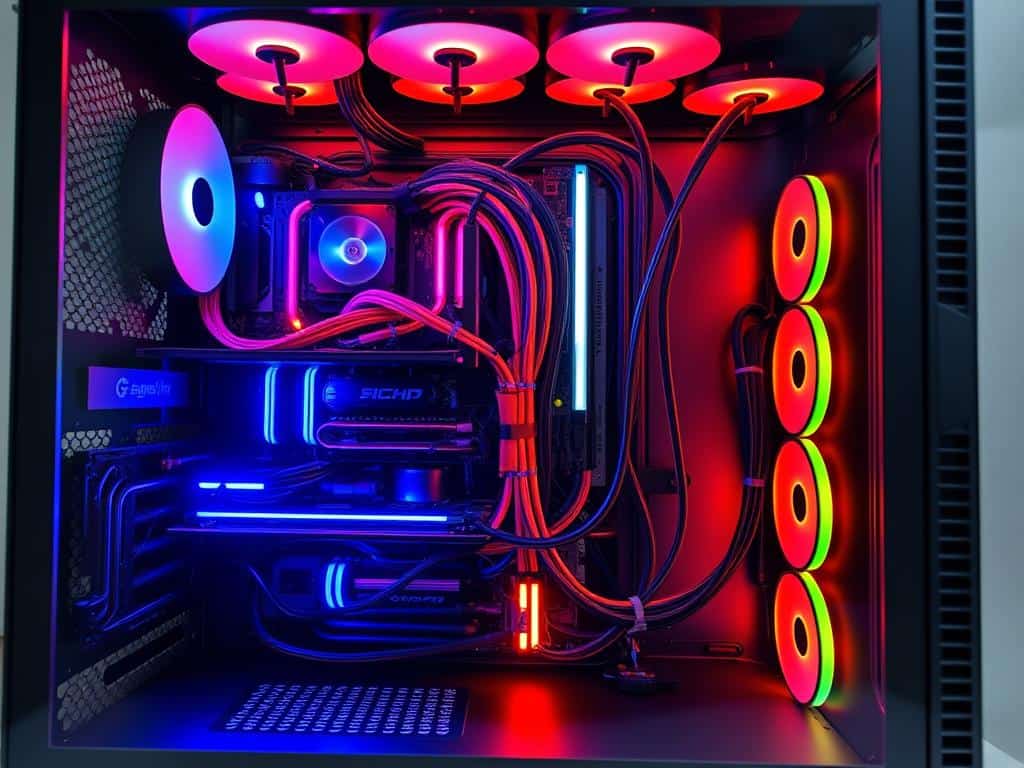
Effective cable management is key to a clean PC build. Using cable ties, sleeves, and cord concealing boxes improves both looks and function. These steps help keep my workspace tidy and my components working well for longer.
As tech advances, so should our cable management. Solutions like J-Channel raceways and cable trays make upgrades easier and improve airflow. This reduces overheating risks. Wire labels also make it simpler to manage cables, making my computing experience smoother.
Investing in good cable management is a smart choice. It makes my setup look great and ensures a safe, efficient workspace. By focusing on these strategies, I enjoy a neat and organized space that meets all my tech needs.
