Did you know the most common laptop screen resolution is 1,920 x 1,080 (1080p)? It’s a great mix of clear visuals and affordable price. But, if you want top-notch quality, 4K screens with 3,840 x 2,160 resolution are now within reach, even if they cost more.
When we talk about laptop screens, it’s key to see how they affect portability, battery life, and how we use them. This Laptop Screen Guide will help you pick the perfect screen. We’ll cover different display types, resolutions, and tips that fit your needs.
Key Takeaways
- 1080p is the most prevalent and cost-effective resolution in the market.
- 4K displays, while more expensive, are increasingly available and offer exceptional detail.
- Understanding color gamut and accuracy is vital for graphic work and media consumption.
- Brightness levels above 300 nits are recommended for optimal indoor visibility.
- Screen sizes range widely from ultraportable 13.3” to immersive 20” displays.
Anatomy of a Laptop Screen
Knowing how a laptop screen works is key to enjoying it. The quality of a laptop screen depends on its parts and type. These factors greatly impact your viewing experience.
Understanding the Main Components
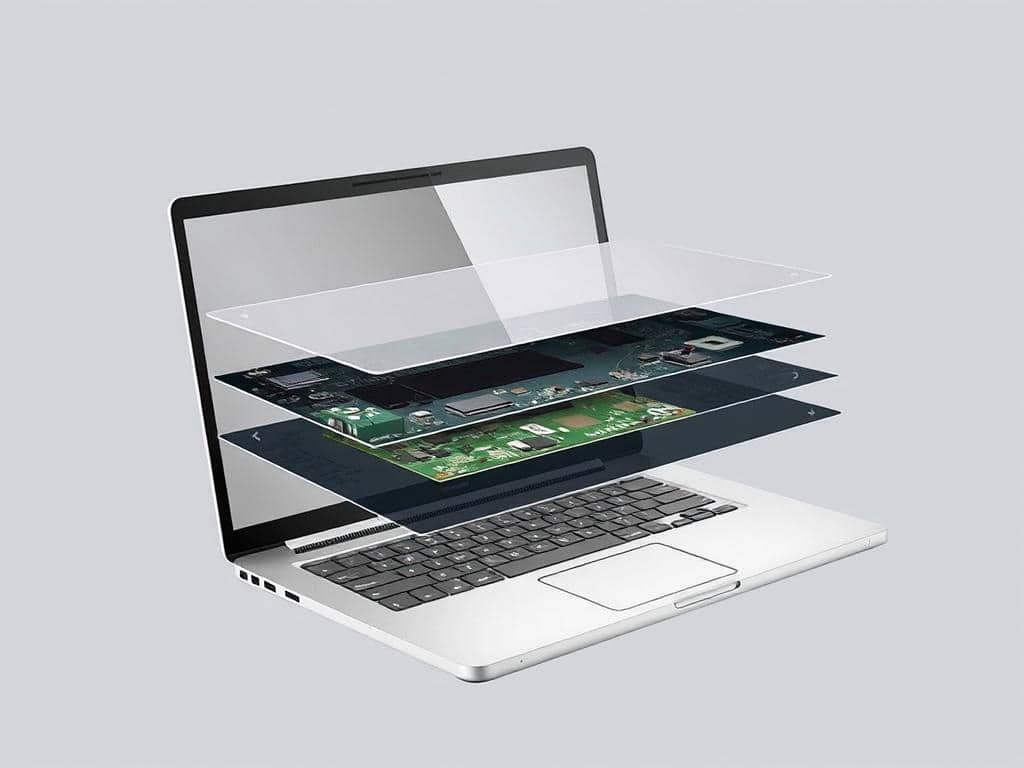
The main parts of a laptop screen are the panel, backlight, and digitizer. The panel shows images and text, with types like TN and IPS. The backlight makes visuals clear, and the digitizer handles touch inputs on touchscreens.
Many laptops have full HD resolution, which is 1,920 by 1,080 pixels. This ensures a sharp display. For better quality, some laptops offer 4K or Ultra HD resolution.
Types of Laptop Displays
Exploring the different display types is important. Most laptops use LCD technology, mainly TN displays, because they’re affordable. IPS monitors, on the other hand, offer better colors and wider viewing angles but are pricier.
The standard aspect ratio is 16:9, but some laptops have 16:10 or 3:2. These ratios can provide more screen space or improve productivity. Knowing about these components and types helps choose the right laptop for you.
Laptop Screen Guide: Choosing the Right Display for Your Needs
When picking a laptop screen, it’s important to look at a few key things. The size and resolution of the screen affect how easy it is to use every day. Color accuracy is also key, whether you’re working on designs or watching movies.
Screen Size and Resolution
Laptop screens come in many sizes, from 11.6 to 18 inches. If you need something portable, a smaller screen might be better. For watching movies or working on big projects, a larger screen is a good choice.
Resolutions like HD and Full HD are common and work well for most people. But if you’re into creative work, you might want something like QHD or UHD for more detail. Brightness is also important, so you can see well even in sunlight.
Color Gamut and Accuracy
For those in graphic design or photography, color accuracy is a must. IPS panels are known for their color accuracy and wide viewing angles. This means you can see the colors right, even from the side.
Support for HDR can also make a big difference in how good the visuals are. Brands like LG Display and Samsung Display are known for their vibrant colors and high-quality screens. Knowing about screen size, resolution, and color accuracy will help you find the perfect laptop screen.
Conclusion
Choosing the right laptop screen is more than just looking at size and resolution. I’ve learned that the screen’s anatomy, like the panel type and backlight, really matters. Knowing about these features helps me pick the best screen for me.
Understanding terms like resolution and color gamut helps me find the perfect screen. Whether for work, gaming, or creative projects, it’s key. Refresh rates and panel technology also play a big role in how well the screen performs.
By carefully thinking about these details, I can pick a screen that boosts my laptop’s performance. This way, I get a better experience overall. Being informed helps me choose a screen that fits my lifestyle and needs perfectly.
