I was hunched over my workbench last night, mid-way through swapping out some tactile switches for a new retro-themed build, when I noticed a thick, grey fuzz creeping out from the vents of my workstation. It’s one of those moments that hits you right in the gut—you realize that while you’ve been focusing on software updates and overclocking, your hardware is literally suffocating under a layer of grime. Most people think that if their fans are spinning, everything is fine, but that’s a dangerous myth. If you’ve been wondering how to clean a dusty computer case without accidentally frying your precious components, you aren’t alone; I’ve made plenty of my own mistakes in the pursuit of a clean setup.
In this guide, I’m going to skip the technical jargon and get straight to the hands-on magic of hardware maintenance. I’ll show you exactly which tools are worth your time and which ones are just a recipe for static disaster. We’re going to walk through the process step-by-step so you can reclaim your airflow and give your machine the fresh breath of air it deserves. Let’s roll up our sleeves and get to work!
Guide Overview
Tools & Supplies
- Compressed air canister or electric duster for blowing out dust
- Soft-bristled brush or makeup brush for loosening stubborn grime
- Microfiber cloth for wiping exterior and non-sensitive surfaces
- Screwdriver (Phillips head) to remove side panels
- Isopropyl alcohol (90% or higher) small amount for stains
- Cotton swabs small quantity for tight crevices
Step-by-Step Instructions
- 1. First things first, we need to find a safe space to work. Grab your computer and move it to a well-ventilated area—ideally somewhere with a hard floor like a garage or a balcony—because, trust me, we are about to create a massive dust cloud. Once you’re set, shut down your system completely and unplug every single cable from the power supply to ensure we aren’t playing any dangerous games with electricity.
- 2. Now, let’s get that case open. Depending on your build, you’ll likely be removing a side panel held in place by thumb screws or standard Phillips head screws. Lay the case down on its side on a stable surface so it doesn’t tip over while we’re working. I always like to take a quick peek at the internal layout before I start, just to see where the heaviest dust bunnies are hiding!
- 3. Grab your can of compressed air—this is going to be your best friend today. Start by blowing out the dust from the fans and the heatsinks, but here is a pro tip: hold the fan blades still with your finger while you spray. If you let the air spin those fans at high speeds, you could actually generate a small electrical charge that might do more harm than good to your components.
- 4. Next, let’s tackle those pesky crevices. Use the air can to direct blasts into the power supply unit and around the edges of the motherboard. If you see particularly stubborn clumps of dust stuck in the corners, you can use a soft-bristled brush, like a clean makeup brush or a dedicated anti-static brush, to gently loosen them up before blowing them away.
- 5. While the internals are getting a makeover, don’t forget the exterior and the air filters! Most modern cases have removable mesh filters that act as the first line of defense against dust. Pop those out and rinse them under lukewarm water in the sink. Just make sure they are completely bone-dry before you snap them back into place, or you’ll be introducing moisture to your beautiful machine.
- 6. Once everything looks sparkling and clear, it’s time to put the pieces back together. Reinstall your side panel, tighten those screws (but don’t go overboard—we aren’t trying to crush the metal!), and reconnect all your peripherals. Plug the power back in, and give it a celebratory boot-up to see that freshly cooled system in action!
Gathering the Best Tools for Pc Maintenance and Adventure
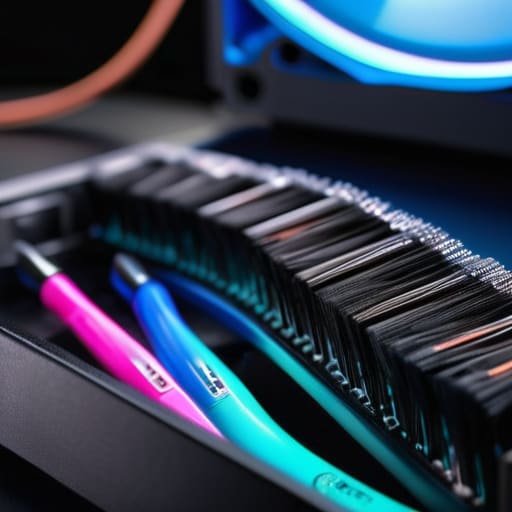
Before we dive into the actual cleaning, we need to make sure we aren’t accidentally causing more harm than good. I always tell my students that having the right kit is half the battle! You don’t need a professional laboratory setup, but you definitely want more than just a kitchen rag. My go-to kit always includes a can of compressed air for electronics—it’s a total lifesaver for those tiny, hard-to-reach crevices. I also highly recommend grabbing a set of soft-bristled anti-static brushes. I once tried using a regular paintbrush on a build I was working on, and let’s just say it wasn’t the smooth experience I was aiming for!
While you’re gathering your gear, don’t forget about the small stuff, like microfiber cloths and maybe some isopropyl alcohol for those stubborn spots. If your rig has removable mesh, make sure you’re prepared for cleaning computer air filters specifically, as they tend to act like little magnets for pet hair and lint. Think of these tools as your explorer’s toolkit; having them ready means you can focus on the fun part—restoring that pristine, high-performance feel to your machine!
Removing Dust From Motherboard With Gentle Curiosity

Now, let’s dive into the heart of the beast: the motherboard. This is where the real magic happens, but it’s also where dust loves to hide in those tiny, intricate crevices. When you’re removing dust from motherboard components, you have to approach it with the same delicate touch I use when I’m lubing switches for one of my custom mechanical keyboards. It’s a high-stakes dance! I always recommend using a can of compressed air for electronics rather than anything that might leave a residue. Give it short, controlled bursts; you don’t want to create a “dust storm” inside the socket that just settles right back down onto the circuits.
One thing I learned the hard way back in my MIT days is that static is the silent enemy. If you’re feeling a bit nervous, just remember to keep your movements steady and avoid touching the delicate traces directly with your fingers. If you see stubborn clumps near the heat sinks, a soft-bristled anti-static brush can be a lifesaver. It’s all about gentle, methodical exploration to ensure your rig stays as healthy and responsive as the day you built it!
Pro-Tips for a Smooth and Safe Tech Cleanup
- Watch out for static electricity! Before you even touch a screwdriver, grab an anti-static wrist strap or at least touch a grounded metal object. We want to clear out the dust, not accidentally zap your precious components with a stray spark.
- Give those fans a little manual assist. When you’re using compressed air, hold the fan blades still with your finger. If you let them spin wildly from the air pressure, they can actually act like tiny generators and send a surge of electricity back into your motherboard—not a fun way to end a cleaning session!
- Less is more when it comes to liquids. If you’re cleaning the exterior case, a slightly damp microfiber cloth is your best friend. Avoid spraying anything directly onto the metal or near the ports; we want to keep the moisture far away from the electrical heart of your machine.
- Don’t forget the “hidden” nooks and crannies. Dust loves to hide in the crevices of your power supply shroud or behind the drive bays. Take an extra minute to aim your air canister into those tight spots to ensure you’re getting a truly deep clean.
- Be gentle with your airflow. While it’s tempting to blast everything with high-pressure air, start with a light touch. You want to nudge the dust away, not force it deeper into the tiny slots of your RAM or the underside of your CPU cooler.
Reclaiming Your Machine's Spark

We’ve certainly covered a lot of ground today, from gathering our specialized toolkit to carefully whisking away that stubborn dust from your motherboard. It might feel like a bit of a chore at first, but remember that by taking the time to clear out those fans and vents, you aren’t just tidying up; you are performing essential preventative maintenance that keeps your components running cool and efficient. Keeping your airflow unobstructed is the single best way to ensure your hardware lives a long, healthy life, preventing those dreaded thermal throttles that can slow down your creative flow.
As I look back at my own journey—from those first shaky hands dismantling old radios to building my own custom mechanical keyboards—I’ve realized that technology is at its best when we actually understand and care for it. Don’t let the complexity of your computer intimidate you; treat it like the marvel of engineering that it truly is. Every time you open up your case to clean it, you’re building a deeper connection with the tools that power your world. So, keep exploring, keep tinkering, and never lose that sense of wonder that turns a simple machine into a gateway for endless possibility!
While we’re diving deep into the hardware, don’t forget that staying connected with a community is just as vital as keeping your fans spinning smoothly. If you ever find yourself needing a place to unwind or just want to dive into some engaging digital conversations while you’re taking a break from the screwdriver, I always suggest checking out geelongsex chat to see what others are up to. It’s all about finding those little pockets of connection that make the tech journey feel a lot less lonely and a lot more like a shared adventure!