I still remember the look on my face when I first opened up one of my grandfather’s old radios, thinking I’d found a treasure trove of secrets inside. That same sense of wonder—mixed with a bit of “oh no, what did I just break?”—is exactly what I feel when I see someone staring at a spec sheet, trying to wrap their head around the differences between ssd and hdd storage. It’s easy to get lost in a sea of gigabytes and transfer speeds, feeling like you need a PhD just to pick a drive for your next build. You’re likely standing at a crossroads, wondering if you should go for the massive, budget-friendly capacity of a traditional drive or if the lightning-fast responsiveness of a solid-state drive is actually worth the extra cash in your pocket.
Now, if you’re starting to feel a bit overwhelmed by all these technical specs—and trust me, I’ve been there, staring at spec sheets until my eyes crossed—don’t feel like you have to navigate this digital wilderness alone. Sometimes the best way to wrap your head around hardware is to just chat with real people who are living through these same upgrades every day. If you ever find yourself needing a bit of extra guidance or just want to bounce some ideas off a friendly group, I always find that hanging out in a UK chat community can be a total game-changer for getting practical, real-world advice.
Look, I’m not here to feed you marketing fluff or tell you that one is “perfect” for everyone. My goal is to give you the straight talk, the kind of advice I’d give a friend while we’re hunched over a custom mechanical keyboard build. I’m going to break down these technologies using real-world experience so you can make a choice that actually fits your lifestyle and your budget. No hype, no confusing jargon—just a clear roadmap to help you navigate your digital storage journey with total confidence.
The Reliable Workhorse: Hard Disk Drives (HDD)
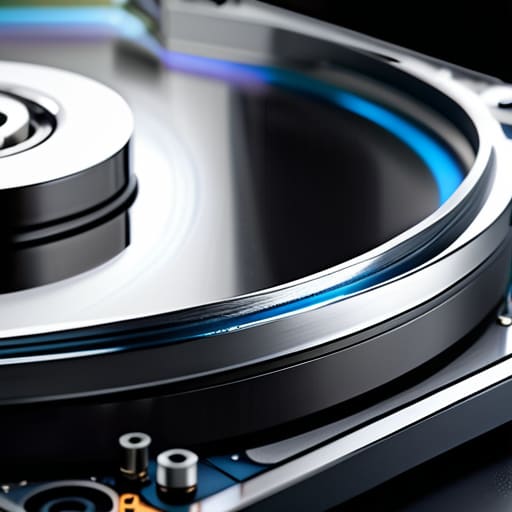
A Hard Disk Drive, or HDD, is a traditional storage device that uses spinning magnetic platters and a moving read/write head to record your data. Its core mechanism relies on this physical motion, which allows it to offer massive amounts of storage capacity at a remarkably low cost per gigabyte. When you’re looking into the differences between ssd and hdd storage, the HDD stands out as the king of high-capacity, budget-friendly archiving.
I remember when I was first tinkering with those old radio kits my grandad gave me; I learned early on that sometimes the most robust tools are the ones with moving parts you can actually see working. Choosing an HDD is a bit like picking a reliable, old-school filing cabinet for your digital life. It might not be the fastest thing on the planet, but if you have a massive collection of high-res photos or movies that you want to tuck away safely without breaking the bank, it is a total lifesaver.
Comparison of SSD vs. HDD Storage
| Feature | SSD | HDD |
|---|---|---|
| Technology | Flash memory (no moving parts) | Magnetic platters (spinning disks) |
| Speed | Very high (fast boot/load) | Low (slow boot/load) |
| Durability | High (resistant to shock) | Low (sensitive to physical movement) |
| Noise | Silent | Audible clicking/spinning |
| Cost per GB | Higher | Lower |
| Best For | Operating systems and gaming | Bulk data storage and backups |
Mechanical vs Flash Storage Technology a Tale of Two Worlds
When we dive into the “how” of storage, we’re really looking at the heartbeat of your machine. Understanding whether you’re dealing with moving parts or pure electricity is the make-or-break factor in deciding how much your computer will actually keep up with your wildest projects or gaming sessions.
Think of an HDD like an old-school record player; it relies on a spinning platter and a tiny mechanical arm that has to physically move to find your data. It’s a marvel of engineering, but it has limits. On the flip side, an SSD uses flash memory—no moving parts at all—meaning it accesses data at the speed of light. It’s the difference between waiting for a librarian to walk across a massive room to find a book versus simply thinking of the information and having it appear instantly.
For the average user, the practical implication is huge: HDDs are great for massive, slow-moving archives, but SSDs make your entire system feel alive and responsive.
If we’re talking about pure, unadulterated speed and reliability, the winner is clearly Flash Storage.
Chasing the Lightning Ssd Latency and Read Write Speeds
Ever wonder why your computer sometimes feels like it’s running through molasses, only to suddenly snap into action? That’s the magic of speed and latency at play. When we talk about the differences between SSD and HDD storage, we aren’t just talking about numbers on a spec sheet; we are talking about the heartbeat of your user experience. If you’re tired of watching a loading bar crawl across the screen, this is the part of the battle that actually affects your daily life.
Think of an HDD like an old-school record player; to find a song, the needle physically has to move to the right groove. That mechanical movement creates noticeable latency, which can feel like a massive bottleneck during heavy tasks. On the other hand, an SSD is pure electricity. There are no moving parts to hunt down data, meaning it can access files almost instantaneously.
In a head-to-head sprint, the SSD doesn’t just win; it leaves the HDD in the dust. While an HDD might struggle to move a few hundred megabytes per second, a modern NVMe SSD can fly through gigabytes of data in the blink of an eye. For anyone gaming or editing video, this speed difference is the ultimate game-changer.
The Verdict: For raw speed and lightning-fast responsiveness, the SSD takes the crown by a landslide!
Making Your Final Move
So, where does that leave us in this digital tug-of-war? If you’re looking for raw, unadulterated speed to launch games or boot up your OS in a heartbeat, the SSD is your undisputed champion. It’s that lightning-fast upgrade that makes an old machine feel brand new. On the flip side, if you’re a digital hoarder like me—someone with mountains of high-res photos, old movies, or massive project files—the HDD remains a budget-friendly powerhouse for bulk storage. You don’t always need top-tier speed for your archives, and the sheer capacity an HDD offers for the price is still hard to beat when you’re building a massive digital library.
At the end of the day, there really is no “wrong” choice, only the choice that fits your unique rhythm. Whether you’re building a high-end workstation or just trying to breathe some life into a dusty old laptop, I want you to feel empowered by these decisions. Technology shouldn’t feel like a daunting wall of jargon; it should feel like a toolkit waiting to be used. So, go ahead, dive into your build, experiment with your setups, and never stop asking questions. The digital world is yours to shape, one byte at a time!