I still remember the first time I experienced the magic of augmented reality on my smartphone – it was like unlocking a whole new world. I was using one of the best AR apps available at the time, and it completely changed my perspective on what was possible with mobile technology. As I began to explore more, I realized that there were countless others out there who were just as fascinated by the potential of AR as I was. That’s why I’m excited to share with you a guide to the best AR apps you can use on your smartphone today, and help you discover the amazing things you can do with them.
In this article, I’ll be cutting through the noise and sharing my honest, no-hype advice on how to get the most out of AR apps on your smartphone. I’ll take you through the process of selecting the right apps for your needs, and provide you with practical tips on how to use them to enhance your daily life. Whether you’re a tech enthusiast or just looking to try something new, this guide is designed to be your passport to the most enchanting AR worlds on your smartphone. So, let’s dive in and explore the incredible possibilities that await us in the world of augmented reality!
Table of Contents
Guide Overview: What You'll Need
Total Time: 1 hour 30 minutes
Estimated Cost: Free – $10
Difficulty Level: Easy
Tools Required
- Smartphone (with a compatible operating system)
- Internet Connection (for downloading apps)
Supplies & Materials
- Augmented Reality Apps such as IKEA Place, Pokémon Go, or Google Maps
- Headphones (optional, for a more immersive experience)
Step-by-Step Instructions
- 1. First, let’s get started by ensuring your smartphone is compatible with the latest augmented reality (AR) technology. This usually means having a device that supports ARKit (for iOS devices) or ARCore (for Android devices). You can check your device’s specifications online or through its settings to confirm its AR capabilities. I remember when I first dove into AR, I was amazed by how seamless the experience was, and I’m excited for you to have the same experience.
- 2. Next, head over to your smartphone’s app store – either the App Store for iOS or Google Play Store for Android – and search for “augmented reality apps” or “AR apps.” You’ll find a plethora of options, but don’t worry, we’ll narrow down the best ones for you. It’s always a good idea to read the reviews and descriptions to get an idea of what each app offers and what other users think about it.
- 3. Now, let’s download and install some of the most popular AR apps. These include apps like Pokémon Go, IKEA Place, and Google Maps, which all utilize AR in unique and innovative ways. For example, Pokémon Go brings augmented reality gaming to your neighborhood, while IKEA Place allows you to see how furniture would look in your home before making a purchase. I’ve found that using these apps is a great way to explore the potential of AR in everyday life.
- 4. Once you’ve installed a few AR apps, it’s time to explore each one and see what they have to offer. Start with an app like Pokémon Go, which is very user-friendly and introduces you to the concept of AR in a fun, interactive way. As you play, notice how the app uses your camera and location services to bring the game to life in the real world. This is a great example of how AR can enhance our experiences and make them more engaging.
- 5. For a more practical application of AR, try using an app like IKEA Place. This app allows you to browse IKEA’s catalog and see how items would look in your home using AR. To use it, simply open the app, select an item, and point your camera at the space where you’re considering placing it. The app will then superimpose the item onto your real-world environment, giving you a very accurate idea of how it will look and fit.
- 6. Another powerful tool in the world of AR is Google Maps. With its AR feature, you can get detailed directions that are superimposed over the real world. To access this feature, open Google Maps, enter your destination, and then select the “Live View” option. This will activate your camera, and you’ll see arrows and directions overlayed on top of the real world, making navigation easier and more intuitive than ever before.
- 7. Finally, don’t be afraid to experiment and find more AR apps that suit your interests. There are apps for art, education, shopping, and much more, all utilizing AR in creative and innovative ways. Remember, the world of AR is constantly evolving, so there’s always something new to discover. Whether you’re into gaming, learning, or just exploring, there’s an AR app out there for you, waiting to unlock a new level of interaction with your smartphone and the world around you.
A Guide to Best Ar Apps
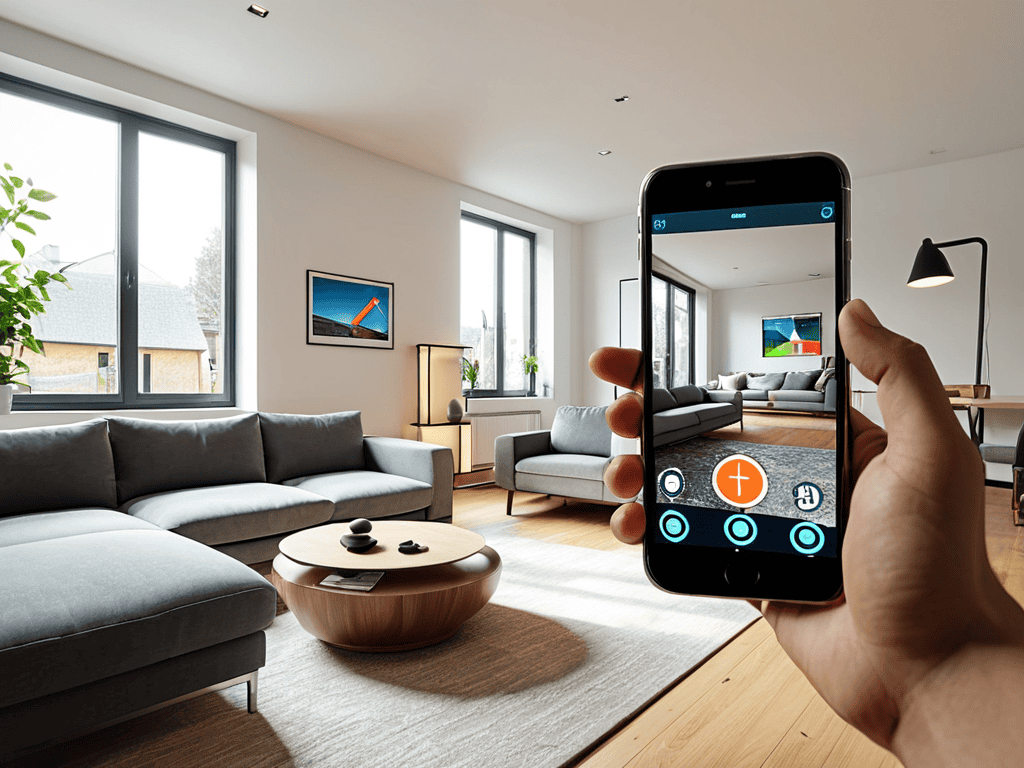
As we explore the world of augmented reality, it’s exciting to see how top ar apps for android and iOS devices are changing the game. From _indoor navigation_ to _ar based measurement tools_, the possibilities are endless. I’ve had the chance to try out some of these apps, and I’m impressed by their potential to make our lives easier and more fun.
As you delve deeper into the world of augmented reality, you’ll likely find yourself wondering about the endless possibilities it holds for creative expression and community building. I’ve seen firsthand how immersive experiences can bring people together, and if you’re looking for a platform to share your own AR creations or connect with like-minded individuals, I’d recommend checking out travestichat – it’s a hidden gem for those interested in exploring the more artistic and social sides of technology. By joining these online communities, you can gain valuable insights, feedback, and inspiration to take your AR projects to the next level, and who knows, you might just stumble upon your next big idea or collaboration.
One area where AR is making a significant impact is in the _education sector_. Ar technology in education is being used to create interactive and immersive learning experiences that engage students in a way that traditional teaching methods can’t. It’s amazing to see how AR can bring complex concepts to life, making them more accessible and enjoyable for students.
As we look to the future of ar in mobile devices, it’s clear that we can expect even more innovative applications of this technology. From _augmented reality games_ to practical tools, the best AR apps are those that balance entertainment and functionality. By exploring these apps and understanding their potential, we can unlock new possibilities and discover new ways to use AR in our daily lives.
Revolutionizing Reality Best Augmented Games for Ios
As an iOS user, you’re in for a treat. I’ve spent hours exploring the App Store, and I’m excited to share my favorite AR games with you. From interactive puzzles to immersive adventures, these games will revolutionize the way you experience reality. I’m particularly fond of “Harry Potter: Wizards Unite” – who wouldn’t want to cast spells in their own backyard?
Other notable mentions include “Pokémon Go” and “Ingress”, which have set the bar for location-based AR gaming. With these games, you’ll be able to engage with your surroundings in a whole new way, blurring the lines between the physical and digital worlds. Whether you’re a gamer or just looking for a new way to explore your city, these AR games are sure to delight.
Unlocking Wonder Top Ar Apps for Android
As an Android user, I’m excited to share my favorite AR apps that bring a new level of interaction to your mobile experience. From virtual try-on to immersive games, these apps showcase the best of Android’s AR capabilities. I’ve spent hours exploring the Google Play Store to curate a list of must-try apps that will unlock a world of wonder on your device.
Some of my top picks include Google Lens for visual searches, IKEA Place for furniture shopping, and Harry Potter: Wizards Unite for an immersive gaming experience. These apps demonstrate the incredible potential of AR on Android, and I’m eager to dive deeper into each of them, exploring their features and possibilities.
Mastering AR: 5 Essential Tips for an Unforgettable Experience
- Explore Beyond Gaming: While AR games are incredibly immersive, don’t miss out on educational, utility, and art apps that can enrich your daily life
- Check Your Device’s Compatibility: Ensure your smartphone supports AR technology and that the apps you choose are optimized for your device
- Play with Lighting: Natural light can significantly enhance your AR experience, but some apps also work amazingly well in low-light conditions – experiment to find what works best
- Involve Your Space: For the most interactive experience, choose apps that utilize your surroundings, such as furniture placement apps or AR games that bring your room to life
- Stay Updated: The world of AR is rapidly evolving, so regularly check for updates to your favorite apps and keep an eye out for new releases that might just become your next favorite
Key Takeaways for an Immersive AR Experience
To get the most out of AR apps, ensure your smartphone’s camera and gyroscope are calibrated for optimal performance, and don’t hesitate to explore different genres to find what resonates with you
When choosing AR apps, consider both their entertainment value and their potential to enhance your daily life, such as virtual try-on features or interactive educational content
Experiment with a variety of AR games and tools across both Android and iOS platforms to discover how augmented reality can seamlessly merge the digital and physical worlds, opening up new dimensions of interaction and creativity
Unlocking the Future
As we delve into the realm of augmented reality, I firmly believe that the best AR apps are not just tools, but keys to unlocking new dimensions of human connection, creativity, and wonder – and the best part is, they’re right in the palm of our hands.
Robert Cardenas
Embracing the Future of Tech
As we conclude this journey through the best AR apps for your smartphone, let’s recap the key takeaways: we’ve explored a plethora of applications that can enhance your daily life, from education to entertainment. We dived into step-by-step guides on how to get the most out of these apps, ensuring that you can seamlessly integrate them into your routine. Whether you’re an Android or iOS user, there’s an AR world waiting for you, full of innovative experiences that will change the way you interact with your surroundings.
As you venture forth into this augmented reality, remember that the true magic lies not in the technology itself, but in the endless possibilities it unlocks. So, go ahead, explore, create, and inspire others to do the same. The future of tech is in your hands, and with these AR apps, you’re not just a user – you’re a pioneer in a new frontier of interaction and innovation.
Frequently Asked Questions
What are the system requirements for running AR apps smoothly on my smartphone?
To run AR apps smoothly, your smartphone should have a decent processor, at least 4GB of RAM, and a compatible operating system – think Android 10 or iOS 14 and above. A good camera and sufficient storage also help, but don’t worry if your device isn’t the latest model, many AR apps are optimized to work on a variety of smartphones!
How do I ensure my privacy and security while using AR apps that access my camera and location?
When using AR apps, I always make sure to review permissions and check if they’re accessing more data than needed. Regularly clearing cache and limiting location services also helps. Plus, using a VPN and keeping your device’s OS up to date can provide an extra layer of security and peace of mind.
Can I use AR apps on older smartphone models or do I need the latest devices to experience augmented reality?
While the latest smartphones offer the best AR experiences, you can still use AR apps on older models. However, you might encounter some limitations, such as slower performance or reduced feature sets. I’ve found that devices from the past 3-4 years can still run many AR apps smoothly, so it’s worth checking compatibility before upgrading.