Did you know that bad thermal paste can raise CPU temperatures by up to 20 degrees Celsius? Modern CPUs are complex, with many cores and special designs. Knowing about thermal paste is key to keeping them cool and running well.
Applying thermal paste is more than just a simple step. It’s critical to stop overheating and protect your computer’s parts. To get the best cooling, it’s important to follow a detailed guide. Whether you have a new Intel CPU or an AMD Ryzen, learning the right way to apply thermal paste can greatly improve your PC’s life and performance.
Now, let’s get into the details. We’ll look at the best ways to apply thermal paste for better cooling in your setup.
Key Takeaways
- Understanding thermal paste is key for the best CPU performance.
- Bad application can cause big temperature rises.
- Each CPU type needs a special way to apply thermal paste.
- Cleaning the surface before applying thermal paste is essential for good performance.
- Thermal paste should be replaced every 1-2 years for effective cooling.
Understanding Thermal Paste and Its Importance
Thermal paste is key for better computer performance. It’s placed between the CPU and heatsink. It fills gaps, helping heat spread out more efficiently.
What is Thermal Paste?
Thermal paste helps heat move from the CPU to the heatsink. It comes in different types, each with its own heat transfer abilities. Some pastes are better than others, making high-quality paste very important.
How Thermal Paste Enhances Heat Transfer
Thermal paste makes contact between the CPU and heatsink better. A small amount is needed. If applied wrong, it can cause overheating and system problems.
Importance of Proper Cooling for PC Temperature
Keeping your PC cool is vital. Without it, parts can get too hot. This means it’s time to check the thermal paste. It should be changed every 3 to 5 years, but more often if you’re gaming or overclocking.
Techniques for Applying Thermal Paste Effectively
Mastering the application of thermal paste is key for optimal heat transfer. Each method has its own benefits and can greatly affect cooling performance. I’ve looked into different application methods and how they impact the right amount of thermal paste.
Overview of Common Application Methods
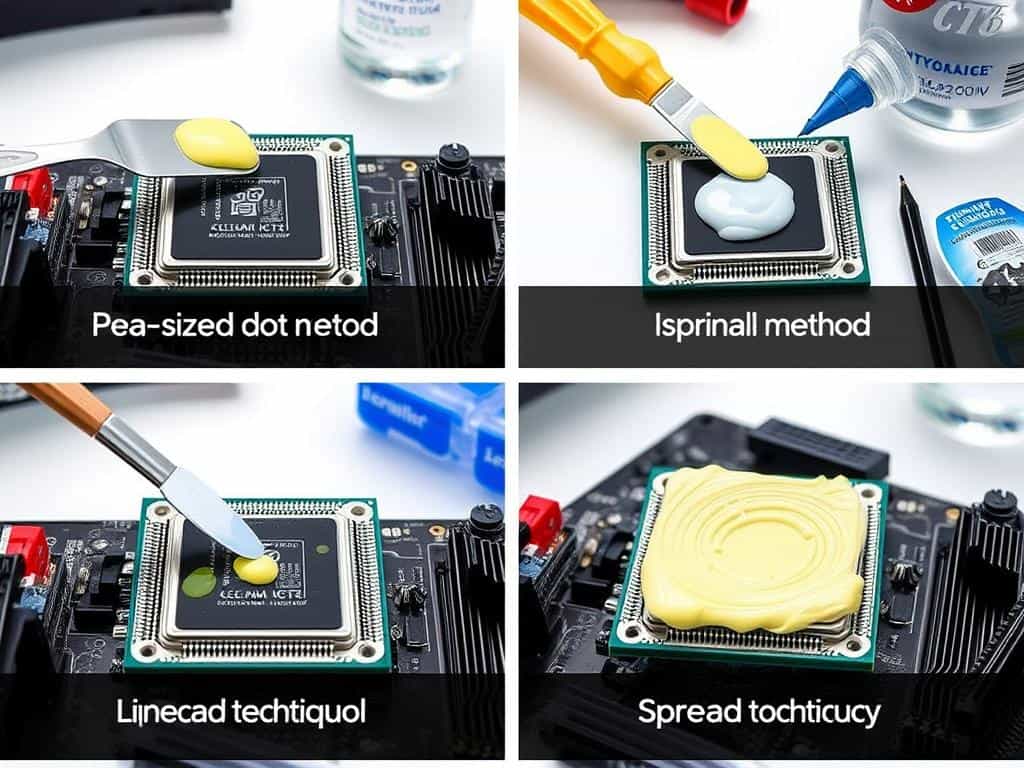
There are several application methods that users prefer. Techniques like the vertical line, horizontal line, and middle dot offer different heat conduction results. The surface spread method might introduce air bubbles, which can reduce thermal efficiency.
Choosing the right method depends on your comfort level and ability to estimate the amount of paste to use.
Choosing the Right Amount of Thermal Paste
Finding the right amount of thermal paste is vital for good thermal conduction. Studies show that a dot smaller than a pea, about 0.1 to 0.2 grams, is often enough. For many processors, using about 0.2 ml is recommended for the best coverage without too much paste.
Cleaning the surface before applying the paste is also important. Even small contaminants can lower performance.
Understanding the Impact of Volume on Cooling Optimization
Using the correct amount of thermal paste is key for cooling optimization. Too much paste can cause poor thermal transfer, while too little can lead to overheating. The X shape method is often the best, as it reduces air bubbles and improves heat dissipation.
A well-applied paste can lower processor temperatures, ensuring it lasts longer and works better.
CPU Thermal Paste Guide: Best Practices for Application
Applying thermal paste right can make your CPU cooler. Knowing the best ways to apply it and choosing quality paste are key. The right methods can really help manage your CPU’s temperature.
Recommended Application Patterns
Choosing the right application pattern is vital for good thermal conductivity. The buttered toast method is great for controlled application, making sure the paste spreads evenly. You can also try the dot or line method.
The dot method uses a small amount, like one to two grains of rice, at the center. The line method suggests a line that’s one to two centimeters long. Each method has its benefits, but being consistent is important to avoid air bubbles that can trap heat.
Identifying Quality Thermal Paste
Using quality thermal paste is very important. It helps transfer heat better and can make your CPU last longer by reducing thermal resistance. Bad paste can cause your CPU to overheat, leading to lower performance and shorter lifespan.
I suggest looking for thermal pastes with high thermal conductivity ratings and good reviews. Studies show that the right thermal paste can lower CPU temperatures by up to 30°C. This shows how important it is to pick a good product that works well in different situations.
Conclusion
In this guide, we’ve looked at how important thermal paste is for cooling CPUs. We’ve talked about the best ways to apply it and how much to use. It’s clear that these steps are key to keeping your computer cool.
Our tests showed that applying thermal paste in an X shape works best. It kept the CPU at 54.25°C under heavy use. This shows how certain methods can really improve cooling.
It’s also important to replace thermal paste over time. You should do this every 6 months to 1 year for lower quality pastes. For top-notch ones like N-B Max Pro, you can go up to 5 years.
These tips show that proper application and regular replacement are vital. They help your system run smoothly and efficiently. Keeping your computer cool is essential for its performance.
In summary, applying thermal paste correctly and replacing it regularly can greatly improve CPU cooling. With the knowledge from this article, you can enhance your system’s performance. This will also help it last longer, even with heavy use.
