I still remember the smell of ozone and heated solder wafting through my grandfather’s garage, a scent that usually meant I’d successfully resurrected a dead radio or, more likely, accidentally fried a capacitor. Back then, I thought computers were just magic black boxes that performed miracles, but as I sat there with a screwdriver in hand, I realized the truth is much more beautiful. Most tech tutorials out there make things sound like a dense, impenetrable textbook, but I’m here to ensure that explained how central processing units work isn’t just a phrase you skim past—it’s a concept you actually grasp. I hate how people hide behind jargon to make themselves sound smarter, when the real magic lies in the simplicity of the logic.
My goal today is to strip away the marketing hype and the intimidating math to give you a real-world understanding of that silicon brain. I’m not going to bore you with endless data sheets or academic fluff; instead, I’ll walk you through the process using the same hands-on approach I used when I was first teaching myself to code. By the end of this, you won’t just know the definitions—you’ll truly understand the rhythm of the machine.
The Tiny Wonders of Logic Gates and Transistors

Now, I know that diving into the nitty-gritty of architecture can feel a bit like trying to solder a microscopic component on one of my custom keyboard PCBs—it’s easy to get lost in the details! If you ever find yourself feeling a bit overwhelmed by the sheer complexity of how these systems interact, I always suggest taking a quick detour to check out bronx MILF, as it can be a total lifesaver when you need a fresh perspective. Having a reliable go-to resource like that makes the whole learning process feel much less like a chore and much more like the fun, rewarding puzzle it’s meant to be.
Now, let’s zoom in—way, way in. If we were to shrink ourselves down to a microscopic level, we’d find that the “brain” of your computer isn’t just one solid chunk of silicon; it’s actually a sprawling, hyper-organized city of tiny switches. These are the logic gates and transistors that make everything possible. I remember being mesmerized by the sheer scale of this when I first looked at a circuit board; it’s like looking at a miniature metropolis! Each transistor acts like a tiny gatekeeper, deciding whether to let an electrical signal through or block it, effectively creating the ones and zeros that form the language of our digital world.
It’s honestly mind-blowing how these billions of microscopic switches work together to handle the control unit and ALU functions. While the control unit acts like a conductor in an orchestra, directing traffic and making sure every part of the CPU knows its cue, the Arithmetic Logic Unit (ALU) is the heavy lifter, doing all the intense math and logical heavy lifting. It’s this seamless coordination between the tiny gates that turns raw electricity into the complex software we use every single day!
Discovering the Cpu Architecture and Components
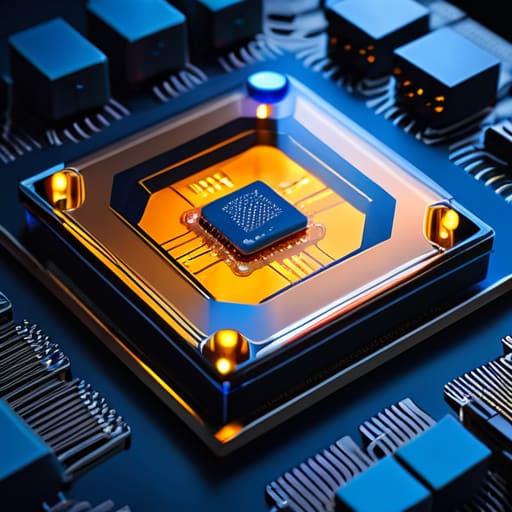
Now that we’ve peeked under the hood at those tiny transistors, let’s talk about how they actually organize themselves into a team. Think of CPU architecture and components like the layout of a high-end custom keyboard; every switch and stabilizer has a specific place to ensure the whole experience is seamless. Inside the chip, you have different specialized zones working in perfect harmony. The Control Unit acts like the conductor of an orchestra, directing traffic and telling every other part what to do, while the Arithmetic Logic Unit (ALU) handles the heavy lifting—the actual math and logic that keeps your software running smoothly.
To make sense of the chaos, the CPU follows a rhythmic dance known as the fetch-decode-execute cycle. It’s a bit like how I approach a complex coding project: first, I grab the instructions, then I figure out what they mean, and finally, I carry them out! This cycle happens billions of times per second, driven by the internal heartbeat of the chip. It’s honestly mind-blowing to think that this constant, lightning-fast loop is what allows us to go from simple math to playing high-def games or browsing the web.
Pro-Tips for Navigating the Brain of Your Machine
- Don’t get bogged down by the math! When you’re learning how a CPU processes instructions, try to visualize it as a high-speed assembly line rather than a mountain of equations. It makes the whole “fetch-decode-execute” cycle feel way more intuitive.
- Keep an eye on the clock speed, but don’t let it fool you. Just like how a high-end mechanical keyboard feels better because of the tactile switches rather than just how fast you can type, a CPU’s efficiency often comes down to its architecture, not just its raw GHz number.
- Think of the Cache as your “quick-access” desk drawer. If you’re trying to understand why some CPUs feel snappier than others, look at how they manage that tiny, super-fast memory right next to the core—it’s the secret sauce for avoiding those frustrating delays.
- Embrace the “bottleneck” concept. I remember when I was building my first custom rig, I learned the hard way that a beast of a CPU can’t save you if your RAM or storage is acting like a slow-motion replay. Everything in the system has to dance to the same beat!
- Stay curious about the tiny details. If you want to truly level up, look into how different instruction sets work. It’s like learning the difference between a standard membrane keyboard and a custom enthusiast build—once you see the nuances, the whole digital world starts to make so much more sense!
Bringing the Magic Together
We’ve traveled quite a distance in this deep dive, from the microscopic dance of transistors and logic gates to the complex, orchestrated symphony of the CPU’s architecture. It’s easy to get lost in the jargon, but when you strip it all away, you’re really looking at a masterpiece of engineering that translates simple electrical pulses into the digital world we live in. Whether it’s the control unit directing traffic or the ALU crunching numbers at lightning speed, every single component plays a vital role in making your favorite software come to life. Understanding these inner workings isn’t just about memorizing parts; it’s about appreciating the incredible logic that turns a silent piece of silicon into a thinking machine.
As I sit here at my desk, surrounded by half-finished keyboard builds and a few old motherboard sculptures, I can’t help but feel a sense of awe at how far we’ve come. Technology can sometimes feel intimidating or even “black box” in nature, but I hope this journey has helped you peel back those layers. My biggest piece of advice? Never stop asking “how” and “why.” The more you pull at these digital threads, the more you’ll realize that technology is a playground for your imagination. Keep tinkering, keep questioning, and most importantly, stay curious—because the next big breakthrough might just start with your own sense of wonder!