Did you know that USB-C can transfer data at an impressive speed of up to 40 Gbps? Our digital world is getting faster, and we need quicker data transfer and charging. USB-C, USB 3.0, and Thunderbolt offer many options for connecting devices. But, each has its own features and specs that can be confusing.
Knowing the differences between these USB port types is key. Whether you’re charging your phone, moving big files, or setting up a multi-monitor setup. Choosing the right one can make a big difference in how well your devices work together. In this article, I’ll explain the differences between USB-C, USB 3.0, and Thunderbolt to help you choose the best for your tech needs.
Key Takeaways
- USB-C offers data transfer speeds up to 40 Gbps.
- USB 3.0 supports rates between 5 to 20 Gbps.
- Thunderbolt can display 8K content or connect two 4K monitors.
- USB Power Delivery (PD) allows for up to 100W charging, while USB-C can enhance to 240W capabilities.
- Understanding these distinctions aids in ensuring compatibility of devices.
Understanding USB-C Technology
USB-C technology is a big step forward in connecting devices. It’s used in many gadgets, like phones, laptops, and hard drives. It’s becoming key in the world of electronics. Big names like Apple and Samsung support it, making it a future standard.
Overview of USB-C and Its Features
The USB-C connector is easy to use because it’s symmetrical and reversible. This means you can plug it in without worrying about which side is up. It works well with many devices, showing up in high-end laptops and smartphones.
Starting in 2024, the EU will make USB-C the only way to charge batteries. This move will make it the top choice for charging devices.
Data Transfer Speeds and Power Delivery
USB-C speeds vary, but most are 10Gbps. This is much faster than older USB versions. Some USB-C ports, called USB 3.2 Gen 2×2, can go up to 20Gbps.
Future versions, like USB4, aim for speeds of 40Gbps. They might even go higher in later versions.
USB-C can also send power, up to 100 watts. This lets laptops charge quickly with just one cable. It also powers other devices like monitors. Not all USB-C ports have these abilities, but they’re a big improvement in how we use technology.
Exploring USB 3.0 Specifications
Understanding USB 3.0 specifications is key for better data transfer and device use. USB 3.0 marked a big jump in speed and efficiency over earlier versions.
Data Transfer Rates and Versions
USB 3.0 can move data at 5 Gbps, which is much faster than USB 2.0’s 480 Mbps. This is great for moving big files or doing backups quickly. Later versions, like USB 3.1 and USB 3.2, even go up to 20 Gbps. This shows how fast data transfer needs are growing.
Backward Compatibility and Usage
USB 3.0 is great because it works with older versions. You can plug in older devices to newer ports without problems. The transfer speed will be limited by the older device, though.
This means my older devices will keep working as new tech comes out. The blue plastic in USB A connectors shows it’s USB 3.0. This makes it easy to know what you have. The updates in USB versions bring big benefits without making things too complicated.
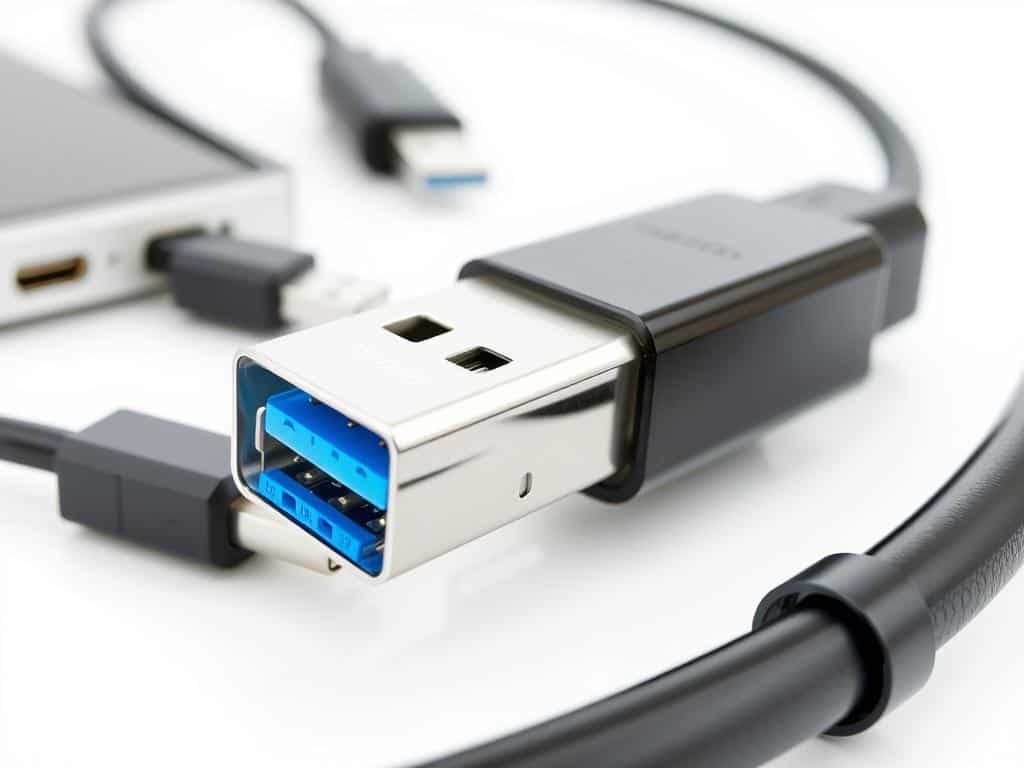
USB Port Types Explained
It’s important to know about the different USB port types. Each one has its own purpose and special features. Thunderbolt technology is special because it’s made for professionals who need a lot from their devices.
Thunderbolt Technology Overview
Thunderbolt technology changes how we connect devices. It offers fast data transfer speeds and many connection options. Thunderbolt 3 and 4 use the USB-C connector but go faster, up to 40 Gbps.
This is great for high-resolution video and quick data transfers. You can connect many devices with one cable. This makes work easier for those who deal with lots of data and media.
Knowing the Differences Between Thunderbolt and USB-C
Thunderbolt and USB-C ports look similar but are not the same. Thunderbolt ports are more versatile and work better with many devices. When choosing between Thunderbolt and USB-C, think about what you need.
USB-C is common in new devices, but Thunderbolt is better for tough tasks. Always check what your device can do to get the most from your connections.
Conclusion
Understanding the differences between USB-C, USB 3.0, and Thunderbolt is key in today’s tech world. These ports offer different speeds and power levels, meeting various user needs. USB 3.0 is reliable, reaching speeds up to 5 Gbps. On the other hand, USB-C supports high-resolution video and can deliver up to 240W of power.
Thunderbolt technology, when combined with USB4, boosts speeds to 40 Gbps. This knowledge helps me choose the right technology for my needs. Whether I’m moving big files or charging many devices at once, I know which tech to pick. This has greatly enhanced my connection experience.
As USB tech keeps improving, we’ll see even more convenience and efficiency in our gadgets. Keeping up with these updates lets me use the best tech for my needs. The mix of USB-C’s flexibility, USB 3.0’s power, and Thunderbolt’s speed is changing how we use technology today and tomorrow.
